
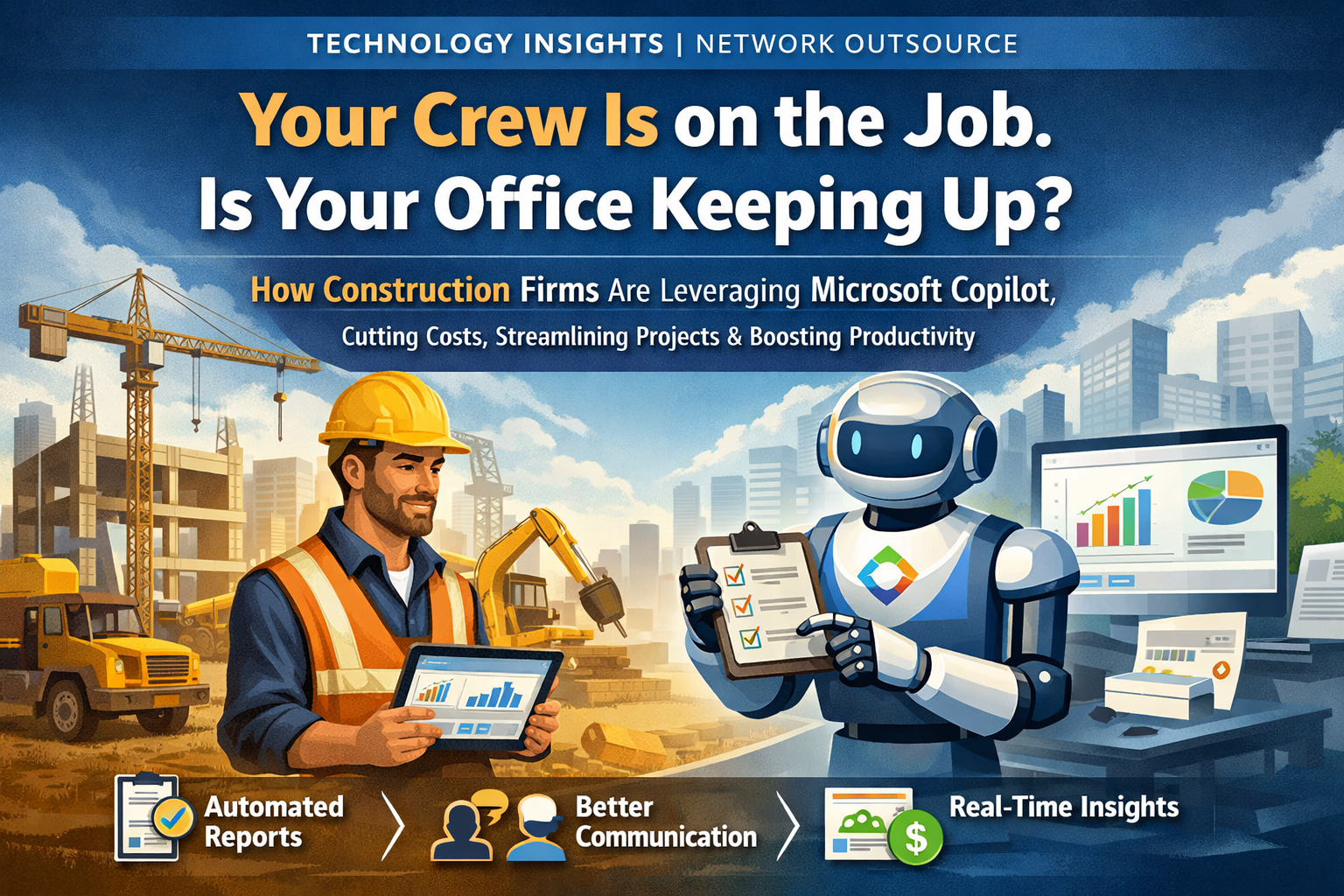
Construction runs on tight margins. Every hour spent chasing paperwork, tracking down a change order, or manually compiling a project report is an hour not spent moving the job forward. In an industry where delays compound quickly, that administrative overhead adds up fast.
At Network Outsource, we have worked closely with construction firms for years, and one of the most consistent frustrations we hear from owners and executives has very little to do with the job site itself. Instead, it stems from everything that surrounds it. The reporting, documentation, communication, and coordination required to keep projects moving often create as much strain as the work in the field.
That is exactly the problem Microsoft Copilot is designed to address.
Copilot is an AI-powered assistant built directly into the Microsoft 365 tools many firms already use every day, including Word, Excel, Outlook, and Teams. There is no separate platform to learn and no additional system to manage. It works within the software your team already relies on, helping employees move faster, communicate more clearly, and reduce the amount of manual work required to keep projects organized and on track.
Less Time on Paperwork. More Time on the Job.
The volume of documentation in construction is substantial. Contracts, RFIs, change orders, inspection logs, and daily progress reports all need to be tracked, organized, and maintained throughout the life of a project.
In many firms, that responsibility falls to project managers who are already balancing schedules, budgets, crews, and client communication. The administrative work required to keep documentation accurate and consistent can quickly consume hours that would be better spent managing the project itself.
Copilot helps reduce that burden by streamlining how documentation is created and maintained. A project manager can ask Copilot to generate a daily progress report and receive a draft compiled from emails, meeting notes, calendar entries, and prior documents within seconds. The formatting remains consistent, important details are captured, and the process becomes far more efficient.
When this type of efficiency is applied across dozens of reports and multiple active projects, the operational impact becomes clear very quickly. Teams spend less time compiling paperwork and more time focused on moving projects forward.
Clearer Communication Across the Entire Project Team
Construction projects involve a large number of stakeholders. Contractors, subcontractors, architects, engineers, clients, and internal staff are often spread across multiple locations and operating on different schedules. Coordinating communication across that many moving parts is a constant challenge.
When communication breaks down, projects slow down. Missed updates, unclear instructions, and delayed responses can create ripple effects that impact the entire project timeline.
Copilot helps keep teams aligned by strengthening the communication systems already in place. Within Microsoft Teams, it can summarize meetings, extract key action items, and generate follow-up reminders so important details are not lost. It can also assist with drafting clear, professional emails and support translations for multilingual teams working across different sites.
The firms Network Outsource works with that have integrated Copilot into their communication workflows often see fewer missed deadlines and smoother coordination across the entire project team. The projects themselves have not necessarily become easier. The difference is that communication has become far more structured, consistent, and reliable.
Real-Time Budget and Project Visibility
Executives need clear visibility into their operations. They need to understand where project budgets stand, whether timelines are beginning to slip, and where potential risks may be emerging before those risks turn into real problems.
Copilot strengthens that visibility by connecting directly to Excel data and generating dashboards, identifying trends, and flagging anomalies automatically. Instead of relying on manually compiled reports, leadership can see what is happening across projects in real time.
Network Outsource recently helped a construction firm connect its project budgets to live financial data. Once implemented, Copilot began identifying cost overruns as they occurred and generating visual reports leadership could use to make informed decisions.
The result is faster insight and stronger oversight. Leaders no longer have to wait for manual reporting cycles or discover issues at the end of the month. Instead, they have clear operational visibility when it matters most.
Smarter Resource and Schedule Management
Getting the right people, materials, and equipment to the right place at the right time is one of the most complex operational challenges in construction. When a delay occurs in one area, the ripple effects can quickly spread across the entire project, affecting timelines, budgets, and coordination between teams.
Copilot helps construction teams stay ahead of those disruptions by bringing greater visibility to scheduling and resource management. It can assist with coordinating schedules, tracking resource usage, and surfacing alerts when materials need to be ordered or deliveries need to be scheduled. When this information is surfaced early, teams are able to respond proactively, prevent costly downtime, and keep projects moving forward with fewer interruptions.
Compliance Without the Administrative Burden
Safety regulations, certification tracking, inspection schedules, and compliance documentation are all essential parts of running a construction business. Managing them properly is not optional. It is a fundamental responsibility that protects both the workforce and the organization.
When a compliance step is missed, the consequences extend far beyond paperwork. Oversights can expose a firm to serious liability and regulatory risk.
Copilot helps reduce that risk by assisting with the operational side of compliance. It can generate inspection checklists, compile safety reports from daily site logs, and send reminders before certification deadlines approach. For firms managing multiple projects at once, this creates stronger documentation, clearer audit trails, and far less time spent tracking compliance requirements manually.
From the Office to the Field
The value of Copilot does not stop at the office. Because it integrates seamlessly with mobile devices, supervisors and foremen can access documents, log updates, and flag issues directly from a tablet or phone while on-site. This allows field teams to stay connected to the same systems the office relies on, without waiting to return to a desk.
Network Outsource has helped construction firms build workflows where field photos automatically update project files, daily logs are captured and organized in real time, and the office remains fully synchronized with activity happening on the job site. When information moves this quickly between the field and the office, the communication lag that often causes delays begins to disappear.
What This Means for Your Bottom Line
Every efficiency Copilot introduces has a direct impact on how a construction firm operates. Administrative work that once consumed hours can be handled in minutes. Communication becomes clearer and more consistent, reducing the delays that often stem from missed messages or unclear updates. Leadership gains better visibility into project budgets and timelines, allowing issues to be identified earlier and addressed before they escalate. Projects move forward with greater speed and coordination, and clients remain informed and confident throughout the entire process.
In a competitive construction market, those advantages are significant. The firms integrating AI-assisted workflows today are positioning themselves to operate faster, manage projects more efficiently, and maintain stronger oversight across every job on their books.
Getting Started with Copilot
You do not need to overhaul your entire operation to begin seeing results with Microsoft Copilot. In most cases, the most effective approach is a focused one. Network Outsource typically recommends starting with a single workflow that creates consistent friction for your team. For many construction firms, that might be daily reporting, meeting follow-ups, or budget tracking. Beginning with one clearly defined process allows your team to see the value quickly while building confidence in how the technology supports their work.
It is also important to invest in a short training session so employees understand how Copilot fits naturally into their day-to-day responsibilities. The technology is intuitive, but when teams see practical examples of how it can assist with the tasks they already manage, adoption happens much faster.
From there, leadership should define what success looks like. That might include reducing the time spent preparing reports, improving communication follow-ups, or lowering the administrative workload placed on project managers and office staff. Establishing these benchmarks allows organizations to measure the operational improvements Copilot delivers over time.
Finally, working with a technology partner ensures that Copilot is configured to support the way your firm actually operates. While the platform is powerful out of the box, tailoring it to your workflows, reporting structures, and internal systems is where its true value is unlocked. Network Outsource helps construction firms bridge that gap, turning new technology into practical, measurable operational improvements.
Ready to Explore What Copilot Could Do for Your Firm?
Network Outsource works with construction firms to design technology solutions that fit the way they actually operate.
If you are exploring how Microsoft Copilot could reduce overhead, improve communication, and give leadership better visibility across your projects, our team would be happy to walk you through what implementation could look like.




Leave A Comment